Create document by Readthedocs
1. Sphinx
Sphinx is a powerful documentation generator that has many great features for writing technical documentation
First, make sure we have installed Sphinx
pip install sphinx
pip install sphinx_rtd_theme  #download readthedocs theme
Second, create the folder:
mkdir rinkou
cd rinkou
Then, start the sphinx project:
sphinx-quickstart
Type your choose:
> Separate source and build directories (y/n) [n]: y
> Project name: rinkou20210108
> Author name(s): wangjiankang
> Project release []: 0.0.1
> Project language [en]: en
Now, the folder structure should be:
rinkou
├── Makefile
├── build
├── make.bat
└── source
    ├── _static
    ├── _templates
    ├── conf.py
    └── index.rst
2. Write some test file
reStructuredText (RST, ReST, or reST) is a file format for textual data used primarily in the Python programming language community for technical documentation
reStructuredText (.rst) is the preferred format for technical documentation than markdown(.md), see Why You Shouldn’t Use “Markdown” for Documentation
For example:
Section Header
==============

Subsection Header
-----------------
Now we create hello.rst in source folder:
header
sfddsf
sfd
hello,world
=============
test the rst
and modify index.rst to:
.. toctree::
   :maxdepth: 2
   :caption: Contents:

   hello   #Name of your rst file
Then, back to the rinkou folder, run:
make html
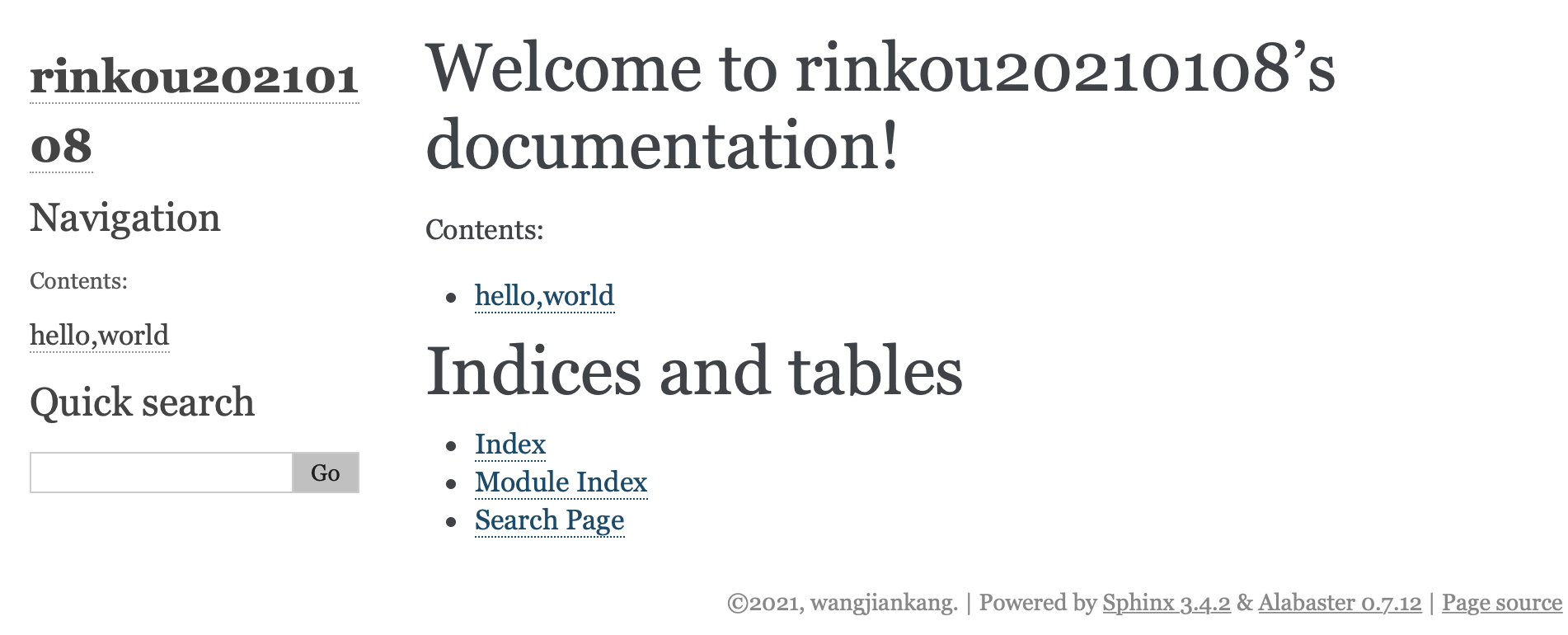
Open, the file rinkou/build/html/index.html with your web browser, you can see:
3. Use the RTD(ReadTheDocs) theme
Find source/conf.py and modify the line html_theme = 'alabaster' to
import sphinx_rtd_theme
html_theme = "sphinx_rtd_theme"
Back to the rinkou folder and re-run:
make html
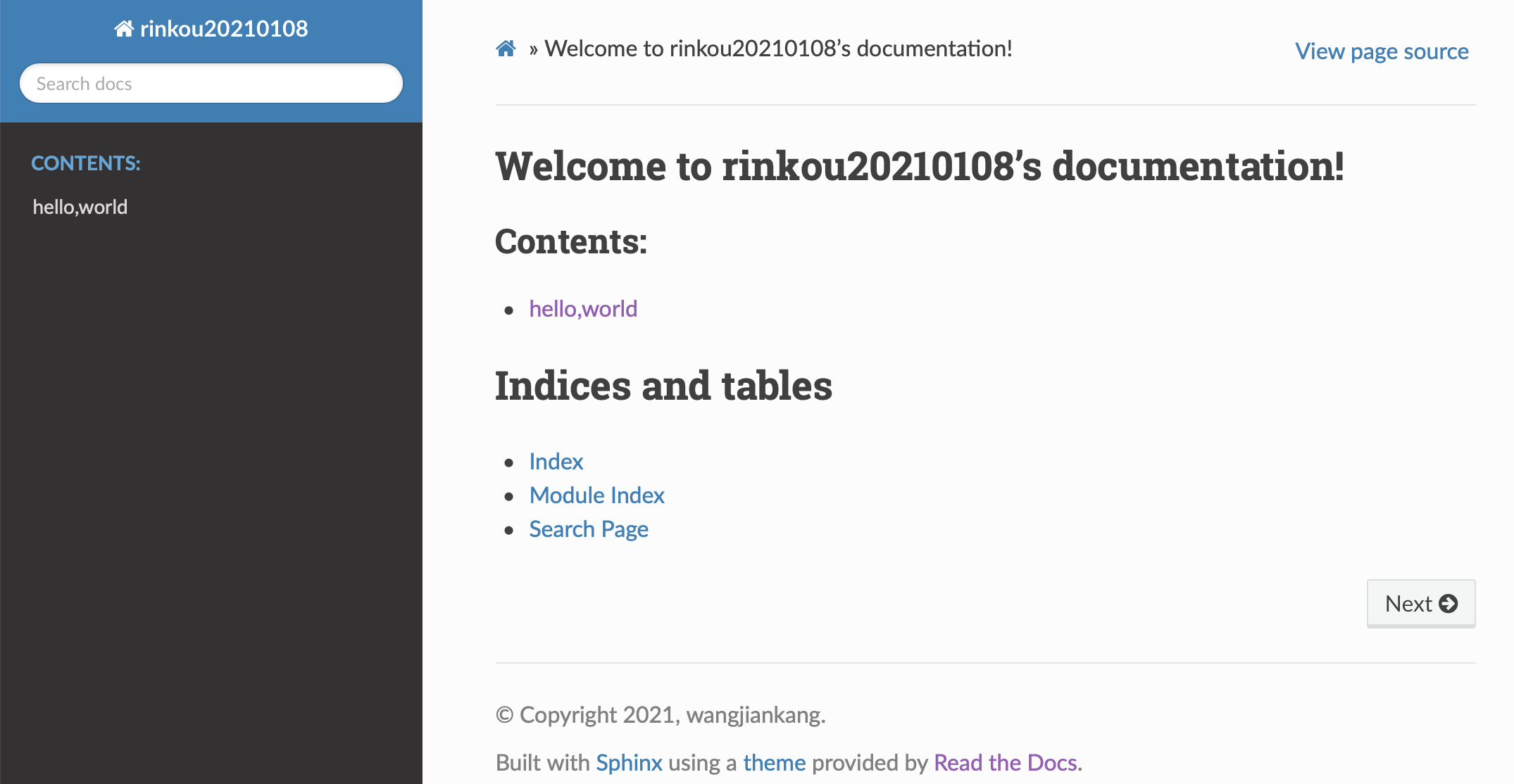
Now open the index.html again, the page should be:
4. Use Markdown (instead of rst) with sphinx
Some people still prefer the markdown style.
A package
recommonmarklet us directly use markdown in sphinx.
Step1, install it:
pip install recommonmark
Step2, modify the rinkou/source/conf.py :
# for Sphinx-1.4 or newer
extensions = ['recommonmark']

# for Sphinx-1.3
from recommonmark.parser import CommonMarkParser

source_parsers = {
    '.md': CommonMarkParser,
}

source_suffix = ['.rst', '.md']
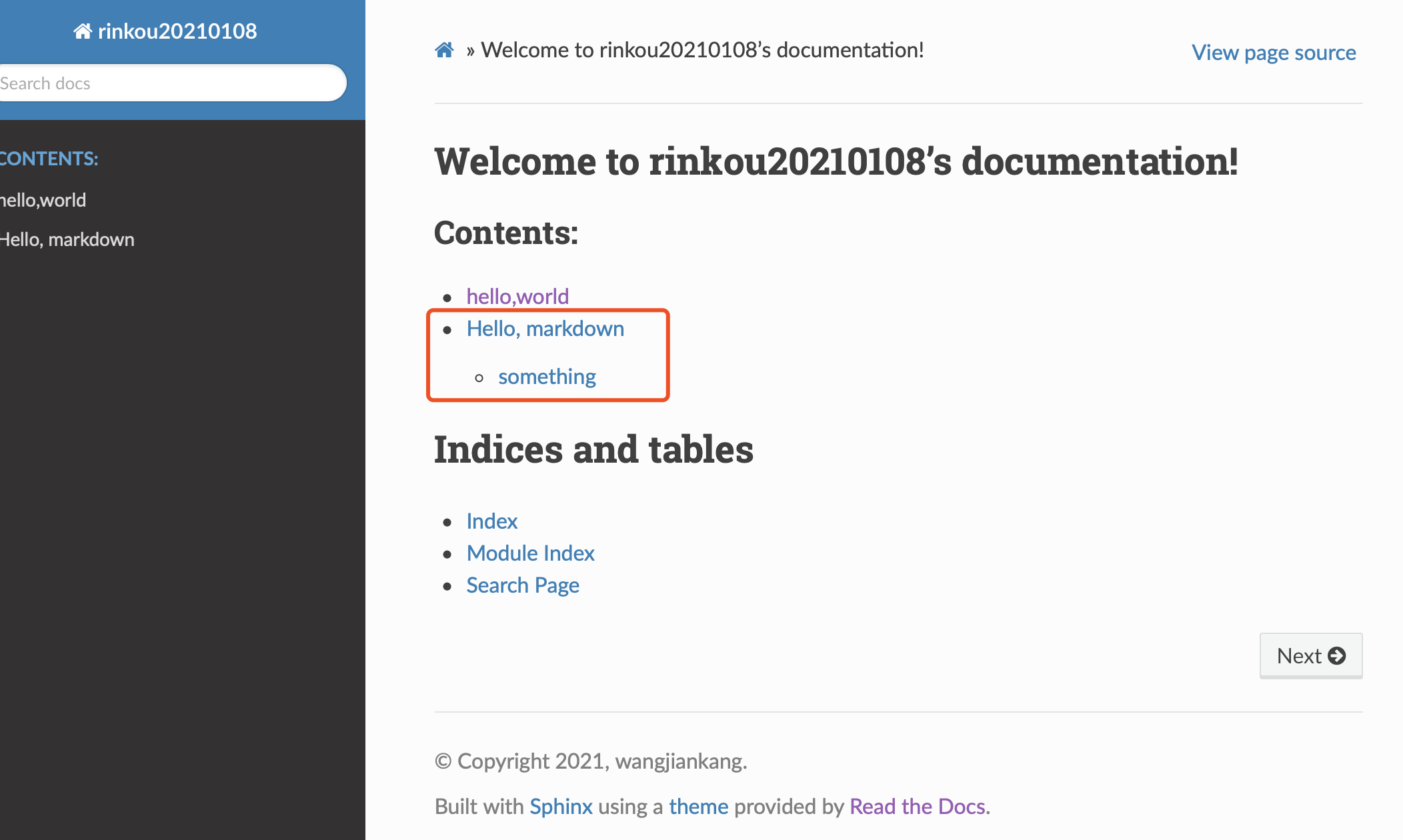
By these two step, now we can directly use markdown file. For example, create a markdown file testMarkdown.md in rinkou/source/, and write:
# Hello, markdown

## something
Then, modify index.rst to:
.. toctree::
   :maxdepth: 2
   :caption: Contents:

   hello
   testMarkdown
Now, back to rinkou folder, re-run make html and open index.html:
5. Publish to ReadTheDocs
5.1 Push our project to GitHub.
First, create a new repository on GitHub and copy the link (https://github.com/wangjk321/rinkou2021.git)
Then, in the rinkou folder of your local PC, create a .gitignore file and write:
build/
because we don’t need to push the build folder.
Now, run:
git init
git remote -v
git remote add origin https://github.com/wangjk321/rinkou2021.git
git add .
git commit -m "push_to_github"
git push -u origin master
The project is already on GitHub.
5.2 Link to ReadTheDocs
Register account on https://readthedocs.org
Login and linking your GitHub account to your ReadTheDocs account
Click ‘Import a Project’

Choose the
rinkou2021repositoryClick “Next” –> “Build version”–>”View Docs”
Now the document is online https://rinkou2021.readthedocs.io/en/latest/
5.3 Update the document
One wonderful advantage of “Github + ReadTheDocs”, is the easy way to update.
modify the document (
hello.rst,testMarkdown.md, et.al) in your local PC.Push to github
git add .
git commit -m "modify something"
git push
ReadtheDocs will automatically update your online document
5.4 Figure
The figure used in the document could be stored in
rinkou/source/_staticFor example, I have
rinkou/source/_static/RTDimport.png.So when documentrinkou/source/test.mdcan use the figure by:<img src="_static/RTDimport.png" alt="RTDimport" style="zoom:40%;" />